For households packing their own boxes for a move

Number every box. Type what's inside. Find the coffee maker with one search.

The Cartonmap Moving Kit numbers your boxes by room and keeps a short list for each one. Type an item and it shows the box number, the room, and your note. Each label carries its box's list in a QR code that a phone camera can read. And the move countdown puts each task of an 8-week moving plan on a date, counted back from your move day.
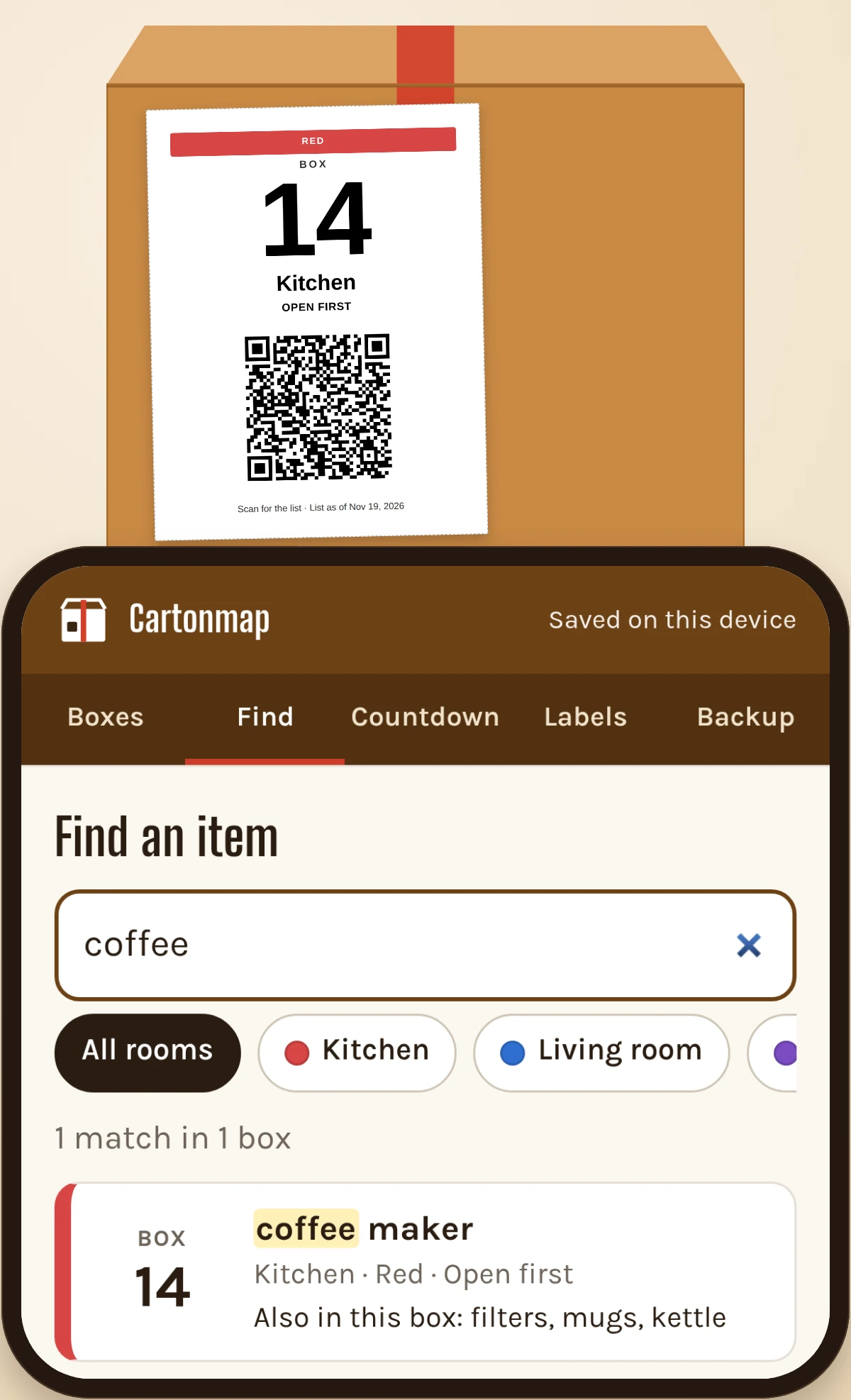
A Kitchen box label with box number 14 and a QR code, next to a phone showing a search for coffee maker

Product mockup with sample data.

Day one in the new place.

Eleven boxes say KITCHEN. One of them has the coffee maker.

First box: plates. Second box: pans. Third box: dish towels, two phone chargers, and the junk drawer in a grocery bag.

The marker did its job. Every box reached the right room.

But a room name answers where a box goes. On day one, the question is which box has the thing you need right now.
The Carton Index

You know exactly what's in a box at one moment: when it's full, still open, and you're reaching for the tape. A week later, in a different house, that list is gone, and every KITCHEN box looks the same.

The Carton Index writes the list down at that moment and ties it to a number.

Number it. List it. Find it.

  1. Number it. Pick the room. The box gets the next number and the room's color.
  2. List it. Type a few words before the tape goes on: coffee maker, filters, mugs. On most phones, the keyboard's microphone lets you say them instead.
  3. Find it. Later, type "coffee." Cartonmap searches every box and shows Box 14, Kitchen, with your note: open first.

The search finds what you listed. A box you didn't list still gets a number, a room color, and a label; the search just can't see inside it.

The tour below follows the order you'll use it: the label, the search and the scan, the countdown, the paper.

Screen 1: the label

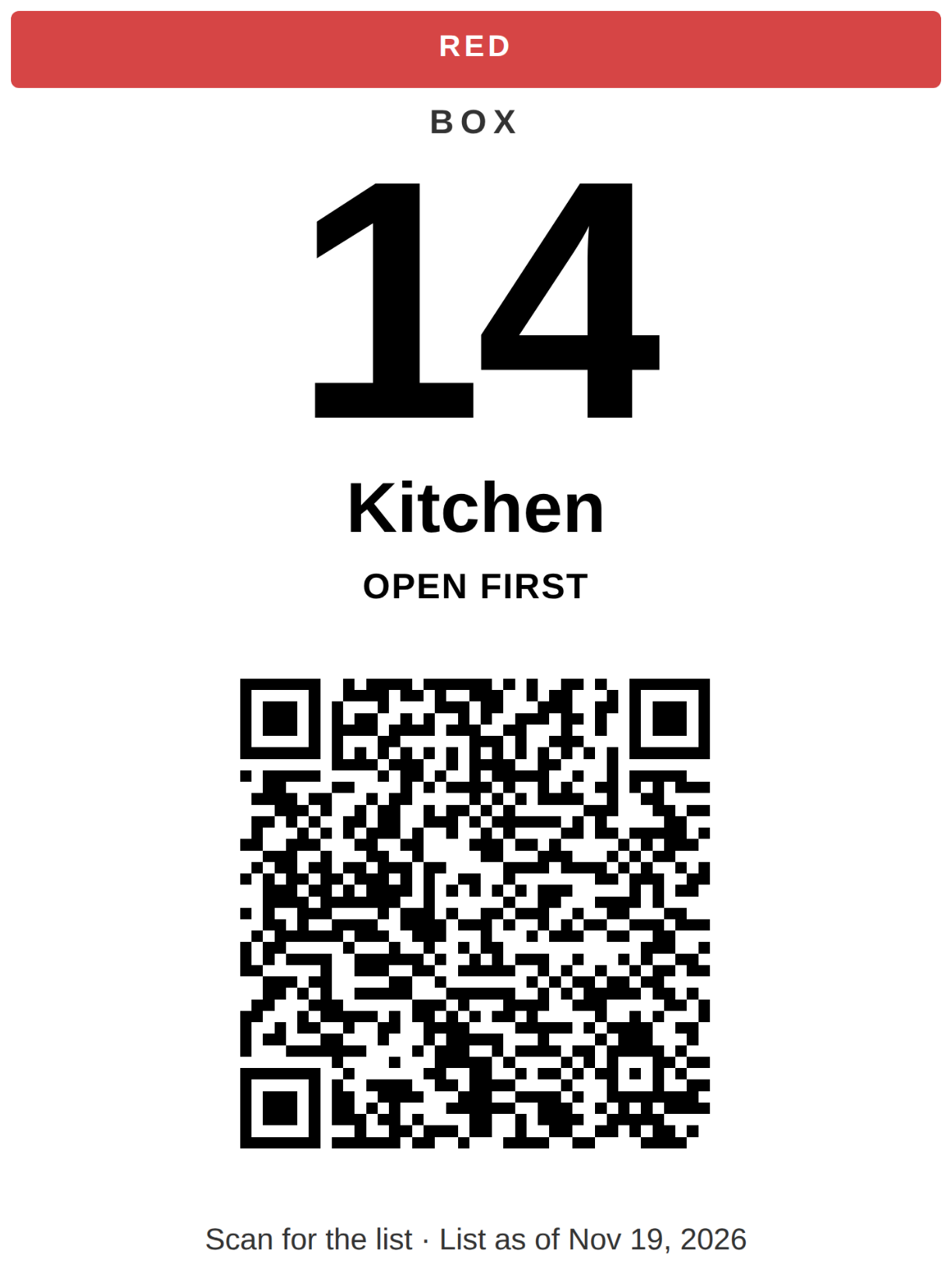
Box label with box number 14, the room name Kitchen, the kitchen color band, and a QR code

Box label from the Box Finder, sample data.

Every label has the box number in large type, the room name, the room's color band, and a QR code with the box's list.

It prints on plain letter paper. Cut it out and tape it on. The color tells whoever carries the box which room it goes to.

Screen 2: search and scan

Silent screen recording on a sample house made up for this demo: adding a box, searching, the page a phone shows after scanning a label, and the countdown moving when the move date changes.

Search. Type an item and Cartonmap checks every box: box number, room, note. "Mug" finds "mugs." Filter by room when you only want the kitchen.

Scan. Point a phone's camera at a label and that box's list opens on the phone. No app to install, no sign-in. The list is stored inside the QR code itself, so it opens on a phone that has never seen Cartonmap, and whoever is holding the box can read it without yours. A few words per box fit in the code whole. On a long list, the scan shows the first items and how many more there are; the full list stays in your Box Finder.

The scan shows the list as of the day you printed that label, with the date on it. Add something later and the search has it right away; reprint the label when you want the QR to match.

Screen 3: the countdown

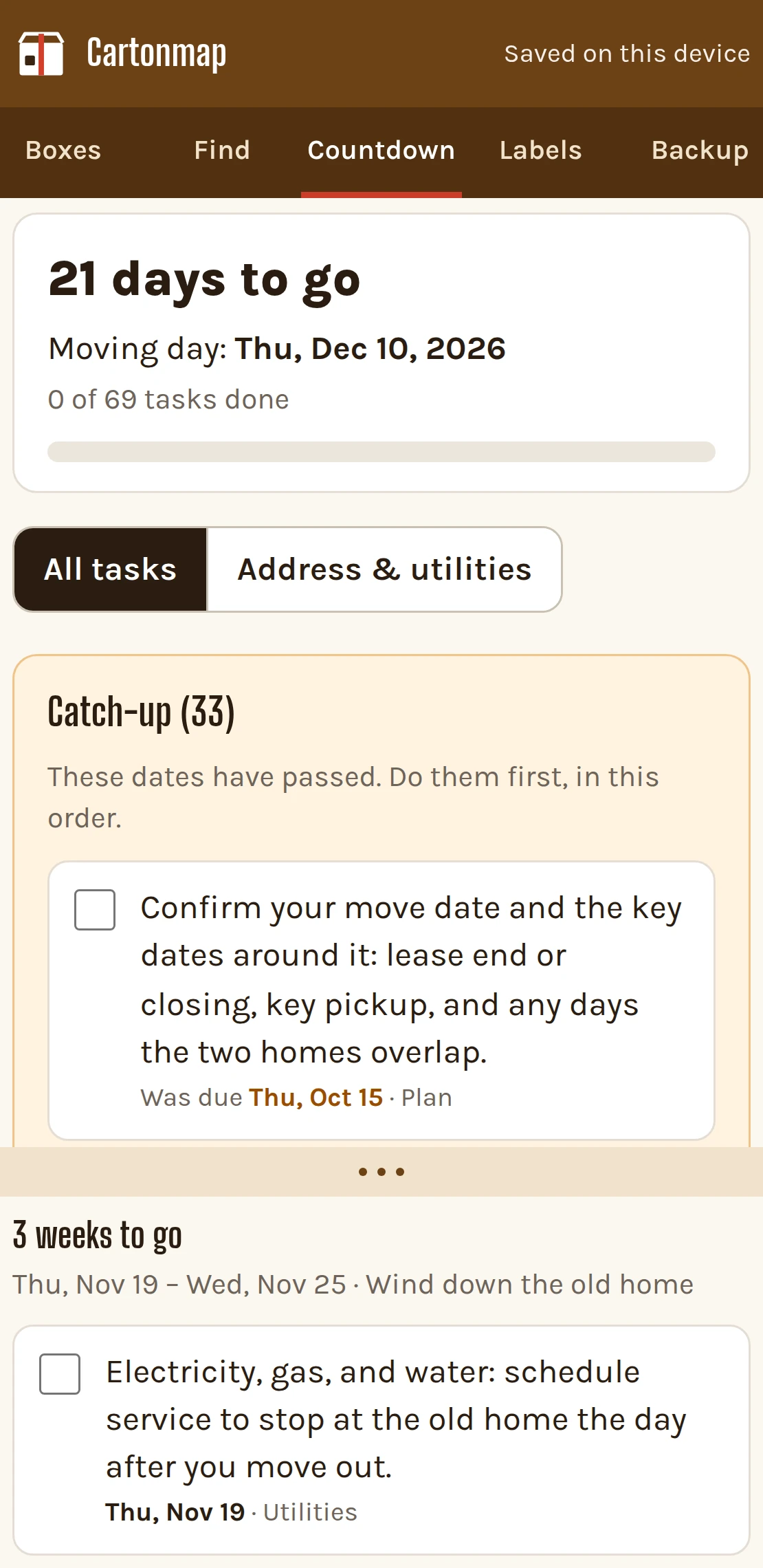
Move Countdown with a sample move date, tasks listed by day and date, and a catch-up list

Move Countdown with a sample move date.

Enter your move date. The 8-week countdown gives each task a weekday and a date, like "Tue, Feb 16," instead of "week 6."

Move date changes? Change it, and every task's date moves with it.

Starting late? With less than 8 weeks to go, tasks whose dates have already passed go to a catch-up list, so you see what's due today and what's behind.

Check tasks off, print the list, or add the dates to your calendar app with one .ics file.

The change-of-address and utilities checklist sits inside the countdown: who to notify and what to transfer or set up, each item with its own date.

Screen 4: paper and backup

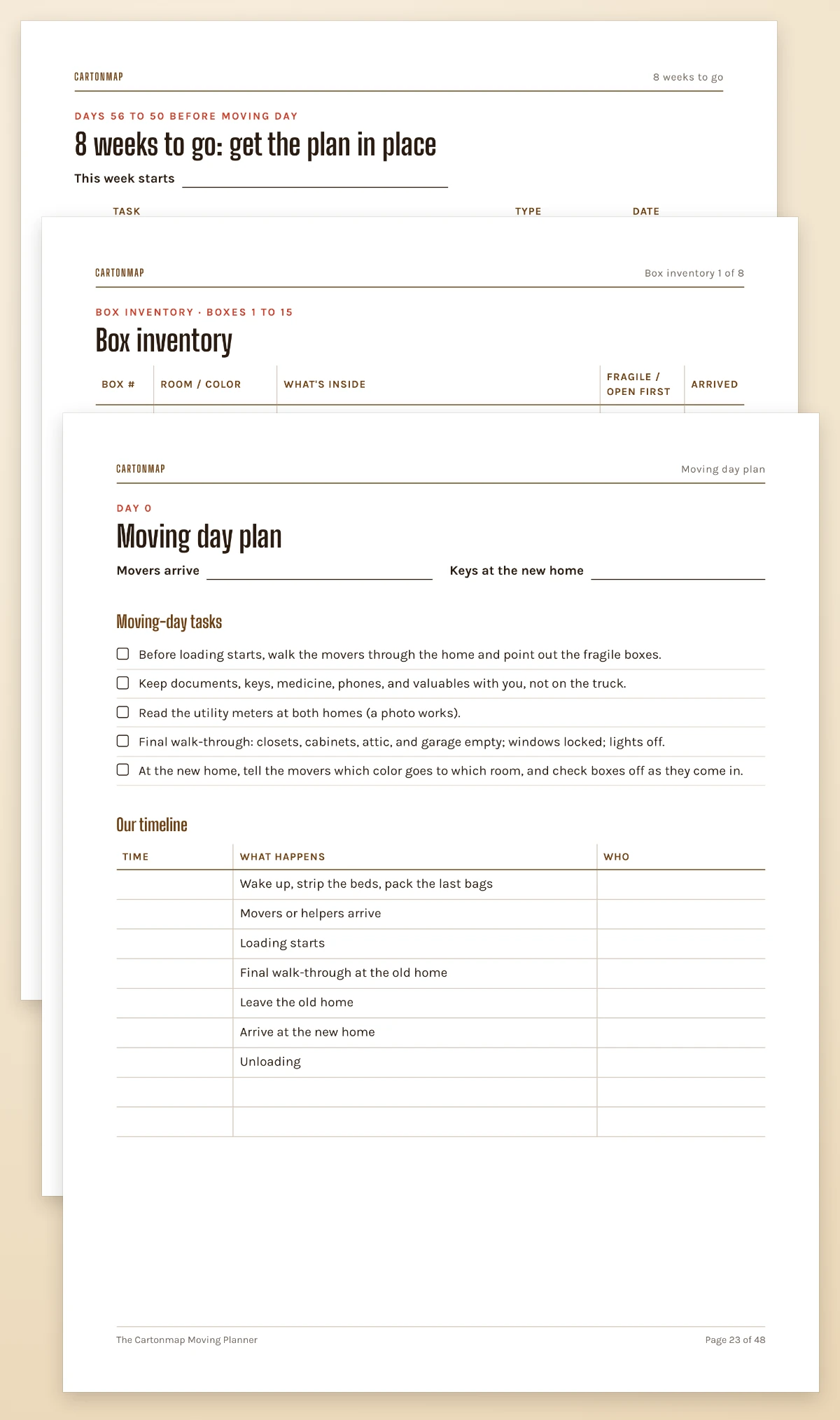
Pages from The Cartonmap Moving Planner: a week page, a room inventory sheet, and the moving-day plan

Pages from The Cartonmap Moving Planner (PDF).

Handle With Care

Number a few boxes and run a search. If Cartonmap isn't worth it to you, one email within 30 days gets your money back.

30-day money-back guarantee. Email support@cartonmap.store within 30 days of purchase and we'll refund 100% of what you paid for that product. No questions asked.

What's in this box

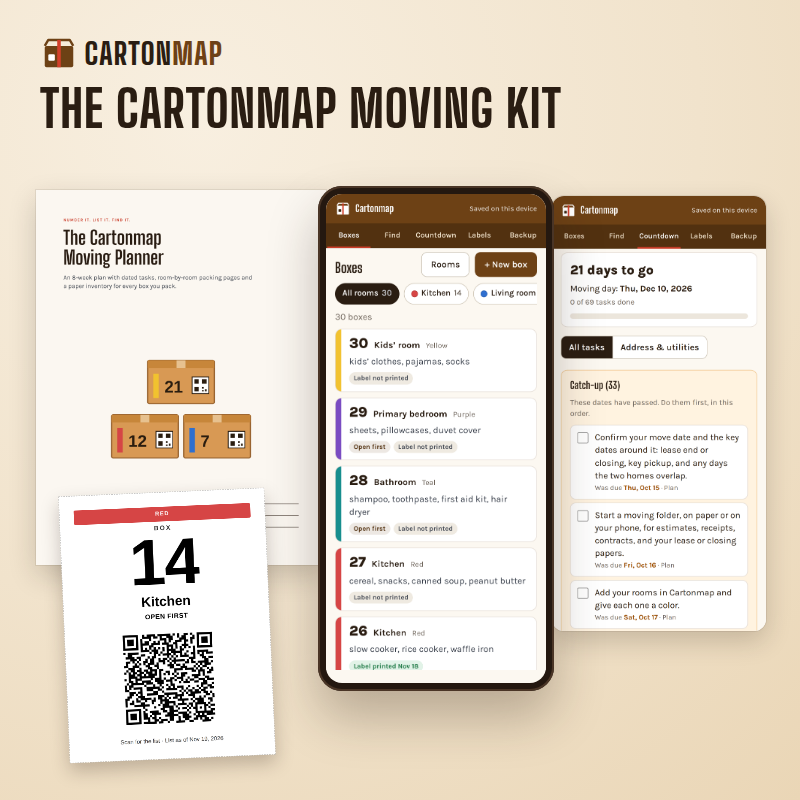
The Cartonmap Moving Kit: the Box Finder on a phone, a box label, the Move Countdown, and the planner cover

Product mockup.

The Cartonmap Moving Kit — $37 USD, one-time payment

  • Box Finder: number boxes by room, list what's in each, search every box, filter by room
  • Box labels with box number, room color band, and QR code, on plain letter paper
  • QR scan page: a phone camera shows the box's list, no app needed
  • Move Countdown: 8 weeks of tasks, each on a date from your move day, with a catch-up list
  • Change-of-address & utilities checklist, with dates
  • The Cartonmap Moving Planner: 48-page PDF
  • Backup file and inventory CSV
  • Start Here, with a sample house
  • Email support for 12 months

One-time payment. No subscription. No recurring charges.

Instant access by email after purchase. Your downloaded files are yours to keep.

Start with box 1 tonight. The countdown runs from your move date.

30-day money-back guarantee. Email support@cartonmap.store within 30 days of purchase and we'll refund 100% of what you paid for that product. No questions asked.

What you'll need: a phone or computer with a web browser, a printer (or a print shop), and packing tape.

Questions

Writing KITCHEN on the box has always worked. Why change?

It works for getting each box to the right room, so every Cartonmap label still shows the room. What a room name can't tell you is which of eleven kitchen boxes has the coffee maker. The list does.

How much typing is it, really?

A few words per box, typed while the box is still open: "coffee maker, filters, mugs." Not a full inventory. On most phones you can use the keyboard's microphone and say the words instead. Boxes you don't list still get a number, a room color, and a label.

Do I need special labels or a label printer?

No. The labels print on plain letter paper with a home printer or at a print shop. Cut them out and tape them on.

Can someone else see what's in a box without my phone?

Yes. Anyone can point the camera on their phone at the label and see that box's list. They don't need an app, a sign-in, or your phone. If the list is long, they see the first items and how many more there are; the full list is in your Box Finder.

What if I add something after printing the label?

Add it in the Box Finder and the search has it right away. The QR shows the list as of the day you printed the label, and the page it opens shows that date. Reprint the label if you want the two to match.

We move in three weeks. Is it too late?

No. Enter your move date and the countdown dates the remaining tasks from today to moving day. Tasks whose dates have already passed go to a catch-up list.

Is this another monthly app?

No. $37 is the whole price. Nothing renews and there's no monthly fee. Cartonmap runs in the browser on your phone or computer, so there's nothing to install from an app store.

Where is my list stored? Who can see it?

Cartonmap runs in your browser. Your box lists and dates are saved on your device, not on our servers. Download a backup file anytime.

Anyone who scans a label can read that box's list, so keep anything private off a box's list.

What if I switch phones or clear my browser?

Download a backup file and restore it on the new phone or browser. Cartonmap doesn't sync between devices on its own, and clearing your browser's data erases what's saved there, so download a fresh backup every so often.

I already have a free moving checklist. Why pay?

If it's working, keep it. The countdown does a different job: it puts each task on a date from your move day and moves the dates when your move date moves. And the checklist is the smaller part of this kit; the bigger part is the Box Finder: the numbers, the lists, the search, and the labels.

There are box apps with QR codes. How is this different?

Some charge a monthly fee or sell their own labels. Cartonmap is $37 with no monthly fee, runs in your browser, and prints on plain paper. Its QR codes carry the box's list, so whoever scans one doesn't need an app or an account. If you want an inventory you'll keep up for years, like a storage unit, an app built for that may suit you better.

Does Cartonmap track boxes or book movers?

No. Cartonmap plans and labels. It doesn't book movers, track trucks, or move anything for you.

Is it for us?

Built for a household packing its own boxes for a move in the next few weeks, willing to type a few words per box. Less useful if movers pack everything and nobody lists as they go, or if you're moving a dozen boxes: a marker and a phone photo will do.

Does my access expire?

No. If we ever stop hosting the tools, we'll email you at least 60 days before and send you a copy that runs on your own computer.

Who answers my questions?

Questions about using Cartonmap? Email support@cartonmap.store. We answer within 2 business days, for 12 months after your purchase.

Questions before you buy go to the same address.

Box 1

Pick a room. Fill a box. Type what went in. Print the label. That's box 1, and the search already knows it.

The Cartonmap Moving Kit — $37 USD, one-time payment